

Use to summarize this article


- Yes, headless is right for most marketing websites, but only if the platform was actually built for marketing teams, not just developers.
- The real risks with older headless platforms are the developer bottleneck, missing live preview, and a 30 to 60 percent higher build cost, not the architecture itself.
- A page-based traditional CMS often turns one campaign change into a dozen manual edits and a 24 to 48 hour approval chain.
- BetterCMS is built to close the marketer-side gaps in headless architecture, a real visual editor, typed SDKs, hosted infrastructure, and AI tooling that runs through the same approval workflow as a human editor.
- The decision comes down to five honest questions, not a generic headless-versus-traditional debate.
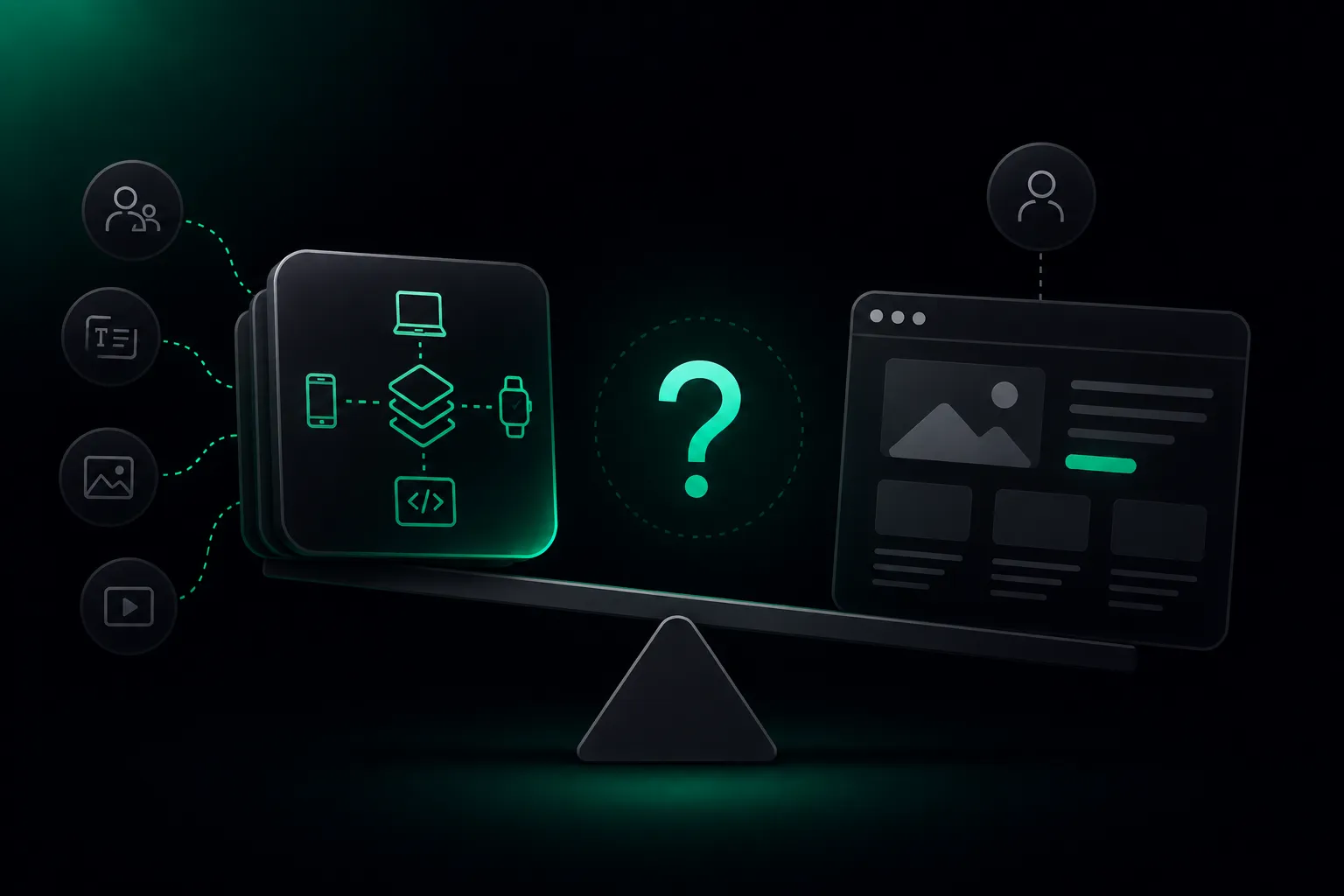
Somewhere in the last two planning meetings, someone on your team probably said the words "we should go headless." Maybe it came from a developer tired of fighting a bloated plugin ecosystem. Maybe it came from a founder who read a case study about Nike's omnichannel content stack. Either way, the question that usually gets skipped is the one that actually matters: does a marketing website, specifically, benefit from headless architecture, and if it does, which headless platform actually delivers that benefit without breaking everything your marketing team relies on.
This isn't a generic explainer about what headless CMS is. It's a direct answer to a narrower and more useful question: if the thing you're building is primarily a marketing website, landing pages, a blog, campaign pages, a resource center, should you go headless, and if so, what should that actually look like. A lot of the content answering this question online was written for a different audience entirely, developers evaluating architecture in the abstract, rather than marketing leaders trying to figure out whether their team will actually be able to do their jobs six months after the migration.
The quick answer
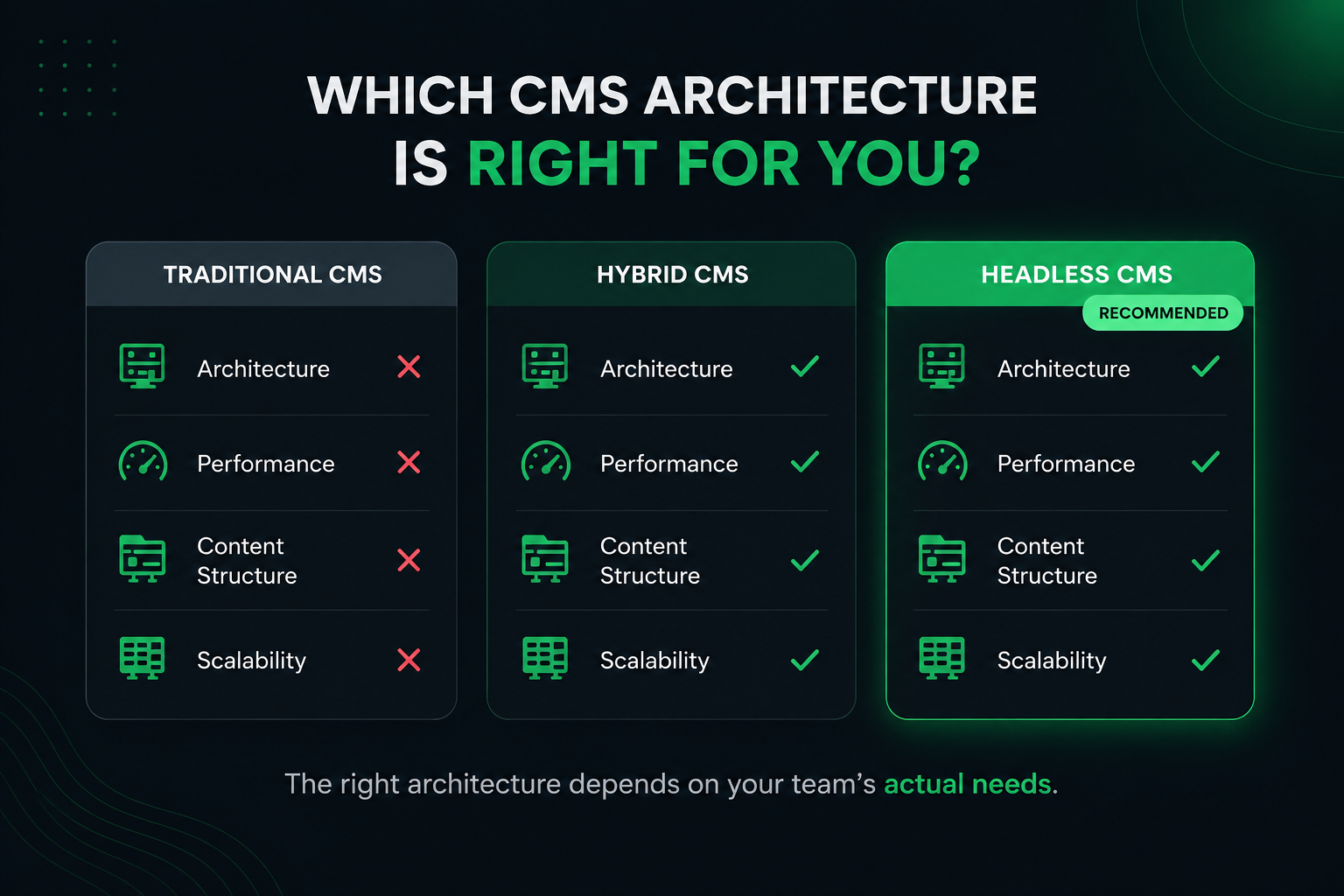
Yes, headless is right for your marketing website, on one condition: you pick a platform that was actually built for marketing teams, not just for developers. Most of the reasons people avoid headless CMS, the developer bottleneck, the missing live preview, the slow initial build, are not permanent features of headless architecture. They're specific failures of first-generation headless platforms that never solved the marketer side of the equation.
The rest of this guide walks through exactly where headless earns its reputation and where older headless platforms genuinely fail marketing teams. If you've read a "headless vs traditional CMS" comparison before and come away more confused than when you started, that's usually because the comparison never separated the architecture itself from the specific platform implementing it. Those are two different questions, and conflating them is where most of the bad advice in this category comes from.
Where BetterCMS fits into all of this?
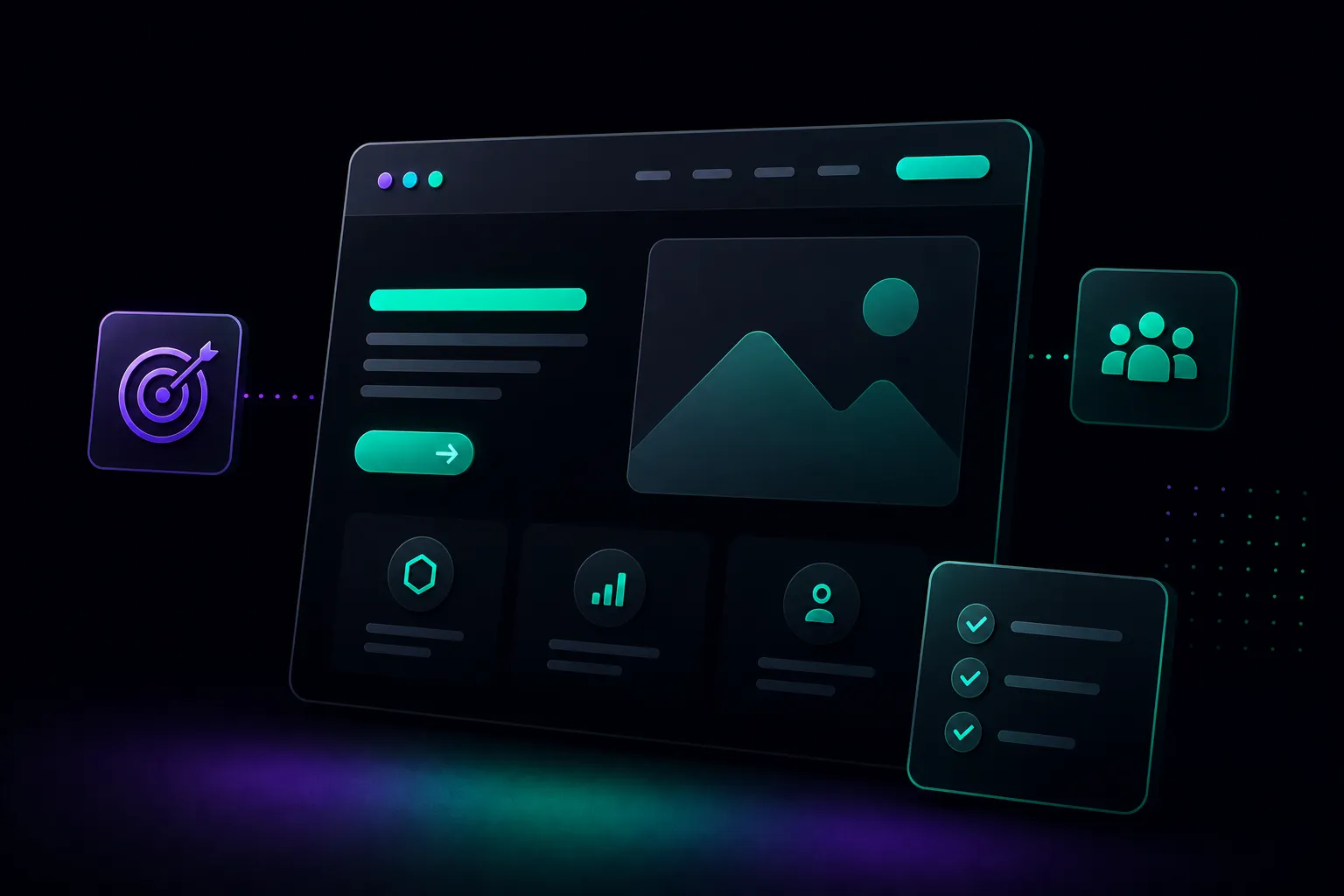
Everything above describes headless CMS as a category, and the tradeoffs are real regardless of which specific platform you eventually pick. This section is a detailed look at one platform built specifically to close the marketer-side gaps this guide keeps returning to, BetterCMS, so you have a concrete example of what "a headless platform built for marketing teams" actually looks like in practice, not just an abstract description.
What it actually is: BetterCMS is a Content Operating System built around one core idea: the bottleneck in content work moved from creating content to managing it, and most CMS platforms never adjusted for that shift. It gives you the same structured, API-first content delivery any real headless CMS provides, a full REST and GraphQL layer, typed content models, and full omnichannel flexibility, but it was designed with the marketer's daily workflow as a first-class requirement rather than an afterthought bolted on after the developer experience shipped.
The editor experience: A real visual editor lets marketers build and preview pages directly, the way they would in a traditional CMS, while the content underneath stays fully structured. This is a direct answer to the single most common complaint about older headless platforms covered earlier in this guide, editing on faith with no visual preview. Marketers see the page the way a visitor will see it while they build it, not after they publish and check the live URL.
The developer experience: Typed Astro and Next.js SDKs give developers a working starting point instead of a blank slate, which is what shortens the 30 to 60 percent build premium this guide covered in the cost section. BetterCMS Cloud handles hosting, staging, and forms out of the box for teams that want to move fast without assembling five separate tools, while the same platform supports a fully custom, headless-only setup for teams that want complete frontend control instead. Teams can also adopt it page by page on an existing site rather than committing to a full replatform on day one.
Campaign and personalization tooling: Built-in programmatic SEO and ABM page generation let marketing teams create pages at scale from approved, on-brand components, directly addressing the campaign-velocity advantage this guide flagged as one of the strongest genuine arguments for headless on a marketing site. Personalized landing pages by industry, account, or traffic source stay inside the same content model and approval workflow as everything else, rather than requiring a separate personalization tool bolted on after the fact.
SEO and AEO: Structured content and metadata fields are part of the content model marketers manage directly rather than a code change waiting on a developer, which resolves the developer-bottleneck problem this guide raised as one of headless's biggest historical weaknesses. Content is also built to be AEO ready, structured so AI answer engines like ChatGPT and Perplexity can parse and cite it accurately, not just so a traditional search crawler can index it, which matters increasingly as more research happens through an AI assistant rather than a search box.
The AI layer, and how it stays governed: An MCP server and CLI let AI agents and coding assistants define new content schemas, generate components, and manage content directly. In practice, a developer can describe a new landing page type in plain language and have the underlying schema and components generated, rather than building the content model by hand every time marketing needs a new page structure. The obvious question this raises, what stops an AI agent from publishing something broken straight to a live marketing page, is answered directly. Every agent action runs through the same roles and approval workflow a human editor would use, so a marketing lead who wants final sign-off on anything AI touches keeps exactly that control. Speed and oversight aren't a tradeoff here, they're both built into the same workflow.
Marketing stack fit: Because content is structured and API-first from the ground up, syncing published content into CRM tools, feeding analytics platforms, and connecting personalization or AI copy tools happens through clean APIs rather than custom integration work bolted on after the CMS is already built.
None of this erases the genuine tradeoffs of headless architecture as a category. A newer platform carries less of the decade-long integration ecosystem that older, established names have built up, worth weighing honestly if your organization needs a very large, established partner network today. What BetterCMS changes is which of the specific pain points covered throughout this guide, the developer bottleneck, the missing preview, the slow build, the eroded autonomy, you actually have to accept. For a marketing website specifically, those are exactly the pain points that matter most.
Why marketing websites need a different answer?
Most headless CMS content online is written from the perspective of a large enterprise with a product, an app, and a dozen content surfaces to keep in sync. That's a real use case, but it's not most marketing websites. A marketing website's job is narrower and more specific: convert visitors, rank in search, support campaigns, and let a marketing team move fast without filing a ticket for every change.
That narrower job means the decision criteria are different too. An enterprise team asks "how do we manage content across our product, three apps, and a partner portal." A marketing team asks "how quickly can I get a new landing page live for Tuesday's campaign, and can I fix a meta description myself without waiting for a developer." Those are genuinely different questions, and a lot of the generic "is headless right for you" content out there answers the first one while marketing teams are actually asking the second.
This distinction matters more than it might seem. A platform genuinely excellent at solving enterprise content federation, pulling data from a dozen internal systems into one API, is not automatically the right choice for a ten-person marketing team that just needs to ship landing pages fast without a developer standing between every idea and a live page. Evaluating a marketing website against enterprise criteria is how teams end up over-architected, paying for flexibility they'll never use while their marketing team quietly struggles with a workflow that was never designed for them in the first place.
What a page-based CMS actually costs you day to day?
It helps to see the traditional CMS problem in concrete terms rather than an abstract complaint. A page-based CMS stores each piece of content inside a fixed page template. When a marketer updates a limited-time offer, they often have to manually copy the same headline, image, and CTA across the homepage, a product page, an email template, and an app banner, sometimes a dozen separate edits for what is conceptually one change. Every one of those manual copies is a place brand voice can drift, a place a canonical signal can get inconsistent, and a place search engines can flag near-duplicate content. A change that should take ten minutes turns into a half-day task, repeated every time a campaign needs an update.
Performance data backs up why this matters beyond convenience. Recent web performance research tracking the broader CMS landscape found that a majority of traditional CMS sites now run page builder plugins, which drives heavier page weight and slower load times, and only a minority of pages in the resulting weight range actually pass Core Web Vitals thresholds. Since Google factors Core Web Vitals into its ranking systems directly, a heavier, plugin-bloated traditional site is not just slower for visitors, it's a measurable SEO cost.
Editorial approval chains compound the problem further. Scaling a team from three editors to eight should mean more output, but a page-based CMS with coarse permissions and fragile layouts often means every routine update needs a multi-step approval chain, editor to designer to developer to final publish, sometimes stretching a routine change into a 24 to 48 hour delay. Campaign velocity fails exactly when speed matters most, right when a competitor moves first or a paid campaign needs a same-day landing page fix.
This is the actual baseline a headless or hybrid platform is being compared against. Once you see the real cost of the page-based model in concrete terms, the case for structured content stops being theoretical.
Where headless is a genuinely good fit?
Headless architecture earns real, documented advantages for marketing sites, and it's worth taking these seriously before writing the whole idea off.
Performance and Core Web Vitals: A headless frontend, built with a modern framework and served through a fast rendering strategy, can genuinely outperform a heavier traditional CMS installation weighed down by years of plugins and themes. Page speed is both a ranking factor and a conversion factor, and every fraction of a second a page takes to load costs measurable conversion rate on a landing page specifically, where visitors arrive with high intent and low patience.
Omnichannel and multi-market content: If your marketing content needs to reach a website, a mobile app, and syndicated partner feeds from one source, headless architecture solves that cleanly. Write the content once, structure it well, and let each channel pull what it needs.
Campaign and A/B testing agility: With a solid library of reusable components, marketers can swap headlines, images, and calls to action, and run tests, without needing a developer for every variant. This is one of the strongest real advantages for marketing teams specifically, though it depends entirely on those components existing first.
Security and future-proofing: A decoupled architecture reduces the attack surface a traditional, plugin-heavy CMS exposes, since there's no sprawling plugin ecosystem full of unmaintained third-party code sitting on your production site. It also means your frontend can adopt new frameworks or rendering techniques without a full backend migration.
Where headless has failed marketing teams, and why that's fixable?
This is the part most vendor content skips, and it's the part that actually determines whether your marketing team will be happy with the decision six months in.
The developer bottleneck: On a pure headless platform, something as small as fixing a meta tag, adjusting a canonical URL, or adding structured data often means a code change that waits on a developer and a release cycle. SEO work moves at the speed of a competitive search campaign, not the speed of an engineering sprint, and that mismatch shows up constantly in real implementations. Picture a real Tuesday: your SEO lead notices a competitor outranking you for a high-value keyword and wants to update three pages' meta descriptions and add FAQ schema by Thursday. On an older headless platform, that's a ticket, a sprint slot, and a release, often landing well past Thursday.
Missing live preview: Traditional CMS platforms let an editor see almost exactly what a page will look like before it goes live. Pure headless systems typically strip that away entirely, since there's no built-in presentation layer to preview against. Editors end up filling in structured fields and publishing on faith, then checking the live URL to see if it actually looks right, which is a genuinely stressful way to manage a campaign page with a paid media budget already pointed at it. This single issue is cited more consistently than almost any other headless CMS complaint across marketing teams.
The upfront cost and timeline: ndependent delivery estimates put headless builds at roughly 30 to 60 percent more build time than a comparable traditional CMS setup when the frontend has to be built entirely from scratch. That premium assumes you're starting from nothing, and it's a real, front-loaded cost that needs honest budgeting.
Eroding marketing autonomy: A headless CMS often increases reliance on development resources for things that came free in a traditional system: new page layouts, new field types, routine content restructuring. For organizations that specifically want their marketing team operating independently, this is the tradeoff that matters most.
Marketing tool integrations that need to be rebuilt: A traditional CMS often comes with plugins for HubSpot, Marketo, Google Analytics, and Google Tag Manager already built and battle-tested. A pure headless setup usually means a developer wiring these integrations into the custom frontend from scratch, a real line item that rarely shows up in the initial project estimate.
| Old Headless Problem | What Actually Happens | How BetterCMS Solves It |
|---|---|---|
| Developer bottleneck | A meta tag fix waits on a ticket and a release cycle | Marketers manage structured fields directly, no code change needed |
| Missing live preview | Editors publish on faith and check the live URL after | A real visual editor shows the page as visitors will see it, while building it |
| High build cost | 30 to 60 percent more build time from a blank frontend | Typed Astro and Next.js SDKs plus BetterCMS Cloud shorten the runway |
| Eroded autonomy | Every new layout or field needs a developer | Marketer independence is a starting design requirement, not an add-on |
A few myths worth clearing up
Headless always means better SEO: Not automatically. SEO outcomes depend on how the frontend handles rendering, metadata, and structured data, not on the architecture label alone.
Marketers can't use a headless CMS: This was true of first-generation platforms with no visual layer, but it's no longer an accurate description of the category. A real visual editor and a fully structured, API-driven backend are not mutually exclusive anymore, some newer platforms genuinely offer both.
You have to go fully headless or not at all: Plenty of platforms now support adopting headless page by page on an existing site, or running fully headless if a developer wants complete frontend control. Neither path requires an overnight replatform.
Headless is only worth it at enterprise scale: The omnichannel case studies that dominate headless CMS content are almost always large companies, Nike, Spotify, Coca-Cola, which creates a skewed impression that this architecture is out of reach for smaller teams. Smaller teams adopt headless or hybrid architecture too, often specifically because it's lighter weight than an aging, plugin-bloated traditional installation.
Personalization needs a separate platform bolted onto the CMS: Personalized landing pages, different messaging by industry, by account, by traffic source, are usually the first thing a marketing team asks for once basic campaign pages are working smoothly. On a lot of platforms this means integrating a separate personalization tool after the fact, learning a second interface, and keeping two systems in sync, though this is exactly the kind of gap newer, more integrated platforms are starting to close.
What a real marketing CMS should actually enable?
It's worth stepping back and naming the requirements directly, since it's easy to get lost comparing feature lists without a clear picture of what actually matters. A CMS built for marketing teams, not just for developers, needs to deliver on a specific list.
Instant omnichannel publishing, so the same update reaches the website, an app, email, and AI assistants without manual duplication. Granular workflow and approval controls, so different roles, content, SEO, legal, regional, can work within clear boundaries without stepping on each other. Structured content modeling that's ready for AI and personalization from day one, not retrofitted later. Real-time collaboration that doesn't risk breaking a live page layout. And built-in performance and SEO governance, so Core Web Vitals and structured data aren't a separate project bolted on after launch.
Why this decision looks different in 2026 than it did a few years ago?
It's worth understanding why "headless for marketing sites" has become a live question at all, rather than something only enterprise architecture teams discussed. Core Web Vitals became a hard ranking factor, which put real pressure on marketing teams running heavier traditional installations. AI search and answer engines started pulling structured content directly, which rewards sites built around clean, structured data rather than loosely formatted HTML. And content teams increasingly need to support more than one surface, even a modest company today often has a website, a resource center, and at least an early conversation about an app or a partner integration, where a few years ago the website was genuinely the only surface that mattered.
None of that changes the core analysis in this guide. It does explain why more marketing leaders are asking the question seriously rather than assuming a traditional CMS is the default forever. The platforms answering that question well in 2026 are the ones that took the marketer-side failures of earlier headless systems seriously as a design problem to solve, not as an acceptable cost of doing business.

Connecting it to the rest of your marketing stack
A CMS decision doesn't happen in isolation. The real test of any platform is how cleanly it plugs into the CRM, analytics, and automation tools your marketing team already depends on every day.
For CRM and customer data, structured content and clean APIs make it straightforward to sync published campaigns and content updates into tools like HubSpot or Salesforce, triggering CRM updates when content publishes rather than requiring a manual export. For analytics, content performance data should flow into Google Analytics or your data warehouse without manual spreadsheet work standing in the way. For personalization, the structured content model itself should be able to feed dynamic, audience-specific experiences directly rather than requiring a bolted-on third-party tool.
The AI and automation layer is where this gets more interesting than it used to be. The same structured, API-first content that powers your website can feed generative AI tools for copy variation or automated campaign creation. That turns the CMS from a passive content store into something closer to an active part of your marketing operation.
Common mistakes teams make with headless, and how to avoid them here
A handful of implementation mistakes show up again and again across headless CMS projects, regardless of platform, and it's worth naming them directly so you don't repeat them.
Over-engineering the content model before real content exists: Teams new to structured content often try to model every possible future use case on day one, dozens of content types with deeply nested references before a single real page has been built. The fix is to start with the minimum viable model and add fields only when real content actually demands them, reviewing and simplifying on a regular cadence rather than trying to predict every future need upfront.
Skipping live preview setup: This is the mistake that turns a modern content platform back into the exact editing-on-faith experience this guide has spent so much time describing as the core headless complaint. Treating the visual editor as core infrastructure rather than an optional add-on is what separates platforms that avoid this problem from the ones that repeat it.
Underestimating editor training and adoption: The most capable editing interface is worthless if the marketing team avoids it and keeps routing requests through developers out of habit. Planning dedicated onboarding and role-specific documentation matters as much as the platform choice itself.
Choosing the technology before defining the content strategy: Picking a platform first and then trying to force your content into it leads to workarounds and missed reuse opportunities. Defining your actual channels, audience needs, and campaign patterns first, then matching the platform to that, produces a far cleaner result than the reverse order.
Questions to ask before you decide
How many channels does your marketing content need to reach today?
If it's just the website for now, that's fine, a well-structured content model stays ready for whatever channel gets added next, so you're not boxing yourself in by starting simple.
How often does your marketing team need to launch new pages or campaign variants without waiting on developer time?
If the answer is "constantly," this is exactly where a genuinely marketer-friendly editor and reusable component library pay off fastest.
Does your team have in-house frontend development capacity?
If yes, look for a platform with strong typed SDKs that give developers full control. If not, look for a hosted option that gets a working, marketer-friendly site live without requiring that capacity to exist in-house first.
Can your budget absorb the usual headless build premium?
The right platform can meaningfully shorten that premium through starter tooling and hosted infrastructure rather than assuming you're building a frontend from a blank slate.
Do you need your marketing team operating independently, without a standing engineering dependency?
This is the single question most likely to determine whether your team is happy with the decision six months in, and it's worth weighting more heavily than any feature list.
If your honest answers land on needing real flexibility, multi-channel delivery, and room to scale, a modern, marketer-friendly headless platform gives you that without the tradeoffs that made older headless platforms a hard sell for marketing teams.
What each option actually costs?
A traditional CMS marketing website is typically cheaper and faster to launch initially, often live in weeks, but tends to accumulate cost over time through plugin bloat and workarounds as the site outgrows the platform. That accumulated cost is easy to underestimate because it never shows up as one big invoice, it shows up as dozens of small compromises and workarounds over several years.
An older, pure headless marketing website usually costs meaningfully more upfront, the 30 to 60 percent build premium is real, and it requires ongoing developer involvement for changes a traditional CMS would let a marketer handle directly. On top of the frontend build itself, marketing tool integrations that came free with a traditional CMS, HubSpot, Marketo, Google Analytics, Google Tag Manager, tracking pixels, conversion events, form handoffs to a CRM, usually need to be wired into the custom frontend from scratch. That's a real line item that rarely shows up in the initial project estimate and then surfaces as a surprise a few weeks into the build.
| Dimension | Traditional CMS | Older Headless CMS | BetterCMS |
|---|---|---|---|
| Initial launch speed | Fast, often live in weeks | Slow, 30 to 60 percent more build time from a blank frontend | Fast, typed SDKs and BetterCMS Cloud shorten the build from day one |
| Marketing tool integrations | Usually built in as plugins | Rebuilt from scratch by a developer | Structured, API-first content connects directly to CRM and analytics tools |
| Cost over time | Accumulates through plugin bloat and workarounds | High upfront, lower ongoing once built | Front-loaded cost minimized, flexible growth path built in |
| Best for | Very small, single-channel sites | Teams with in-house frontend capacity and a long timeline | Marketing teams that want speed now and flexibility later |
A newer, hybrid-capable platform can land much closer to a traditional CMS's initial cost and timeline, since a working frontend and visual editor exist from the start, with the door still open to a fully custom, headless build later without a forced replatform. None of these three is universally cheapest. The right one depends on your actual timeline, your team's technical capacity, and how far out you're planning, three weeks from now or three years from now.
A few real examples to compare against
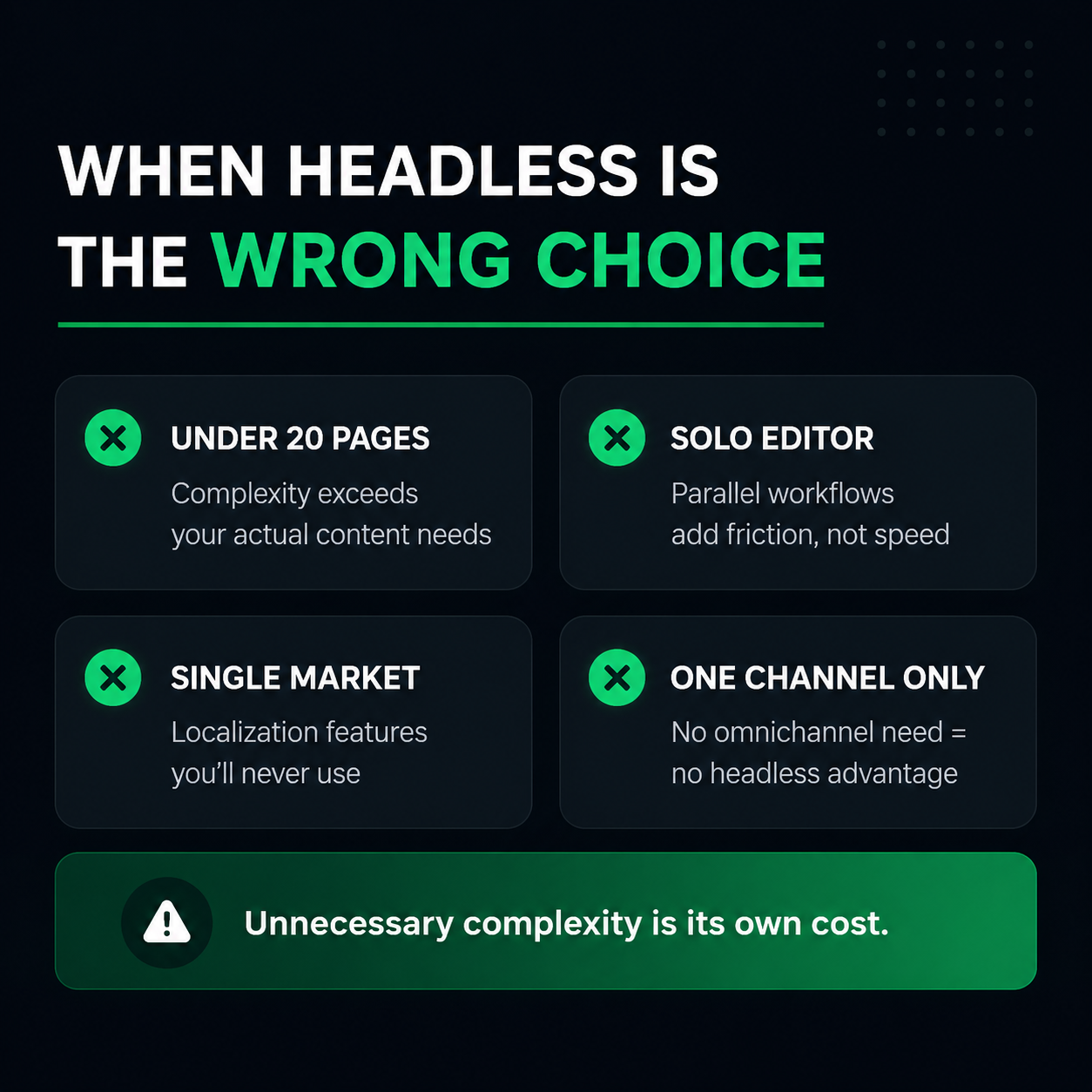
A ten-person B2B SaaS company with one marketing website and no app: The omnichannel argument doesn't fully apply yet, since there's only one channel to serve today. But the campaign-velocity argument often does, especially if the team runs frequent landing page tests for paid campaigns. A hosted, marketer-friendly starting point makes the most sense here, with room to add custom development later without switching platforms when a second channel eventually shows up.
A retail brand with a website, a mobile app, and in-store digital displays: A genuine omnichannel case, where a structured, API-first content model earns its complexity directly, the same content powering the website today should already be shaped correctly for the app and displays, so adding the second and third channel doesn't mean rebuilding the content layer from scratch.
An agency running a portfolio of client marketing sites needing rapid, consistent page builds: Programmatic page generation and component reuse are built exactly for this, generating many structurally similar pages efficiently without a developer touching each one, which matters enormously when the same agency team is responsible for dozens of client sites at once.
A five-person startup that needs a marketing site live in three weeks on a tight budget: A hosted, marketer-friendly platform is the right call here. The usual headless build premium and the need for ongoing developer support for routine content work are real costs a lean, early-stage team usually cannot absorb.
A mid-market company running weekly paid campaigns across several personas and regions: This is where marketer independence for daily launches, personalized variants by persona and region, and a structured system underneath that scales to dozens of landing page variants without turning into an unmanageable pile of one-off pages, all matter at once.
The SEO setup checklist worth running before launch
Headless architecture done well is genuinely strong for SEO, static or fast-rendered pages, edge delivery, and clean structured data are all real advantages. The risk is that these gains depend on the frontend being built correctly, since responsibility for SEO mechanics shifts from the CMS to the implementation. A handful of items are worth confirming before launch, on any platform.
Confirm important pages render as fast, pre-rendered content rather than relying entirely on client-side JavaScript, since that affects both load speed and how reliably search engines can crawl the page. Set canonical tags and hreflang correctly for any multi-region content. Make sure titles, meta descriptions, and Open Graph tags are generated properly rather than left as generic defaults. Confirm an XML sitemap updates automatically as content changes rather than needing a manual resubmission. Add schema.org structured data through JSON-LD for key page types. And monitor Core Web Vitals in Search Console on an ongoing basis rather than checking once at launch and assuming it stays fine.
| SEO Checklist Item | On Most Platforms | On BetterCMS |
|---|---|---|
| Meta tags and Open Graph | Generated in code, needs a developer to change | Structured content fields marketers manage directly |
| Canonical tags and hreflang | Set manually in the frontend | Handled as part of the structured content model |
| XML sitemap updates | Manual resubmission often required | Updates automatically as content changes |
| Structured data for AI answer engines | A separate schema markup project | Built in as AEO-ready content structure from the start |
On a well-built platform, several of these stop being a separate checklist item and become part of how the platform behaves by default.
What to check before you commit?
Get a real, honest timeline and cost estimate from whoever will actually build the frontend, not from a vendor's marketing page. Vague estimates are how the 30 to 60 percent build premium turns into a surprise rather than a planned cost.
Sit an actual member of your marketing team down with the editing interface before committing, not just a developer. The live preview and editorial autonomy questions this guide raised are the ones that determine daily satisfaction, and they're impossible to judge fairly from a sales demo alone. If your team wants to see this in practice, a short walkthrough video of an editor building and previewing a page in real time tells you more in five minutes than a feature list does in an hour.

Map out your actual channels honestly. Don't let a hypothetical future app justify more architecture than your marketing team needs today. You can always extend into more channels later, and starting with a structured content model means that extension doesn't require rebuilding what you already have.
Ask specifically how SEO changes, meta tags, structured data, canonical URLs, actually get made in the platform you're evaluating. This single question exposes the developer-bottleneck problem faster than almost anything else you can ask during a demo.
Ask what marketing tool integrations come built in versus what needs custom development. This is the line item most likely to be missing from an initial estimate, and getting a straight answer here early avoids a budget surprise midway through the build.
The bottom line
A marketing website is not the same decision as an enterprise omnichannel content platform, and treating the two as identical is where a lot of teams end up with more developer dependency than their marketing team can tolerate. But that's a reason to be specific about which headless platform you choose, not a reason to avoid headless altogether. The developer bottleneck, the missing live preview, and the slow initial build were never permanent features of headless architecture, they were specific gaps in older platforms that never solved the marketer side of the equation, and platforms like BetterCMS were built specifically to close them.
If you're asking whether headless CMS is right for your marketing website, the honest answer is yes, as long as you pick a platform built for that job from the start.
If you'd rather have someone assess your specific setup instead of running through this framework alone, Flowtrix works with B2B SaaS, AI, and cybersecurity companies on exactly this kind of decision, from picking the right architecture through to building it.
FAQ's
Common questions marketing teams ask when deciding between traditional, headless, and hybrid architecture.



.webp)






.svg)
.svg)

