




Use to summarize this article


- Goals before platform: Agree on the lead goal, ideal customers by region, and your exact category before choosing a sitemap or CMS.
- Map the buying committee: CHRO, HR operations, IT and security, legal, and finance each bring a different question, so give every page one primary reader.
- Products first, regions as layers: Build one canonical page per product and surface industry and regional blocks through reusable components, with subfolders and hreflang as the default structure.
- Trust and migration are launch work: Ship the trust center, privacy and accessibility pages, and a page-level redirect map with schema before go-live.
- Choose a CMS that your marketing team can run: Component libraries, structured collections, and clear ownership let teams publish without developer tickets.
To build a website for a Global HR tech company, make sure you start by mapping out their goals and potential users/buyers, then design an architecture around products, industries and regions.
Ensure that the users can trust the website for security, privacy and accessibility, plan the SEO migration page by page, and launch on a CMS your marketing team can run without developer tickets.
HR tech is one of the most complex categories to build a website for, and the reason is not design but the fact that you are selling to internal teams who disagree with each other.
Building the site well means respective stakeholders can make all of these decisions in the right order.
How to Build a Website for a Global HR Tech Company: Complete Guide
Based on our experience of building and migrating ZingHR’s website, here’s how to build a website for a global HR tech company and make sure it’s conversion-friendly.
Step 1: Define the Goals, Audience & Positioning First
Before you choose a platform or a sitemap, you should be clear on what the website is supposed to do.
Write down the answer to the following aspects clearly:
- The primary job of the website: Can be qualified demo pipeline, enterprise credibility, partner recruitment or shorter sales cycles. Pick one lead goal and let the rest support it.
- Ideal customers and their geographical regions: A 300-person company in Singapore and a 12,000-person group in Germany buy differently, so proof points, pricing language and compliance messaging may need to differ.
- Your company’s exact categorization: Are you a system of record, a layer on top of one, or a point solution? Each implies a different homepage argument and a different kind of proof.
With the help of the sales team, write a clear positioning brief. Clear goals matter more than most teams expect.
Make sure you don’t regret such important decisions later.

Step 2: Map Buyer Profiles Before Starting with the Homepage
As we said earlier, HR tech sells to varied buyer roles who have conflicting goals. Before you start wireframing, list who is in the room and which question each person will bring.
In the table below, we have mentioned possible stakeholders, what they want to see, and which pages you need to create for the same.

Step 3: Design Website Architecture Around Products, Industries & Regions
You need to set a priority for the following 3 axes when designing your website’s navigation space:
- Modules: what you sell
- Industries & Roles: who you sell to
- Regions: where
The better approach is to make the product the primary navigation and let industry and region work as layers that reuse the same underlying content.
Here’s a structure you can follow:
Zing HR is used by 1,000+ companies across India, MEA and APAC, we gave each product module a distinct visual treatment and built region- and industry-specific layouts on one shared structure. The aim was that an HR leader could reach their region, industry or module in a couple of clicks.

Step 4: Choose Your Regional Structure & Localization Approach
You need to be very careful when choosing the regional structure of your website’s urls. This is a decision you cannot reverse easily. Here are a few options you can choose from:
- Subfolders (example.com/de/): These are the default we recommend for most HR tech companies. They consolidate authority on one domain, are easier to manage, and are simpler for analytics and consent.
- ccTLDs (example.de): These make sense when local trust is decisive or legal entities are separate, but they split authority and multiply maintenance. We see them work for companies with real local teams and local content budgets.
- Subdomains (de.example.com): They are rarely the best choice for SEO-led growth, unless an engineering constraint forces them.
- Hreflang: It tells search engines which version serves which language and region.
Whatever you choose, implement hreflang with return tags, avoid forced IP-based redirects (offer a suggestion banner instead), and run keyword research in each language rather than translating English terms.
Markets differ in compliance regimes and buying habits, and the content has to feel local without becoming a set of disconnected sites. You should be clear on which pages to localize first.
We tier markets by commercial importance:
- Tier 1: full localization, including regional case studies, local compliance content and local demo routing
- Tier 2: core pages localized: homepage, product, trust and demo flow
- Tier 3: language availability with human review on high-intent pages only
- Tier 4: other pages
Step 5: Work on Trust Building Pages
Before making a purchase buyers need to be able to trust your website’s security, privacy, and accessibility. HR systems hold salaries, performance notes, benefits elections and termination records. Buyers know that, and they filter on it early. The website’s job is to answer the risk questions before they get in touch with the sales team.
The table below shows the most important trust assets that you must build.
Gating the security whitepaper behind a form is usually a mistake. Security reviewers will go around you, or simply decide you are hiding something.
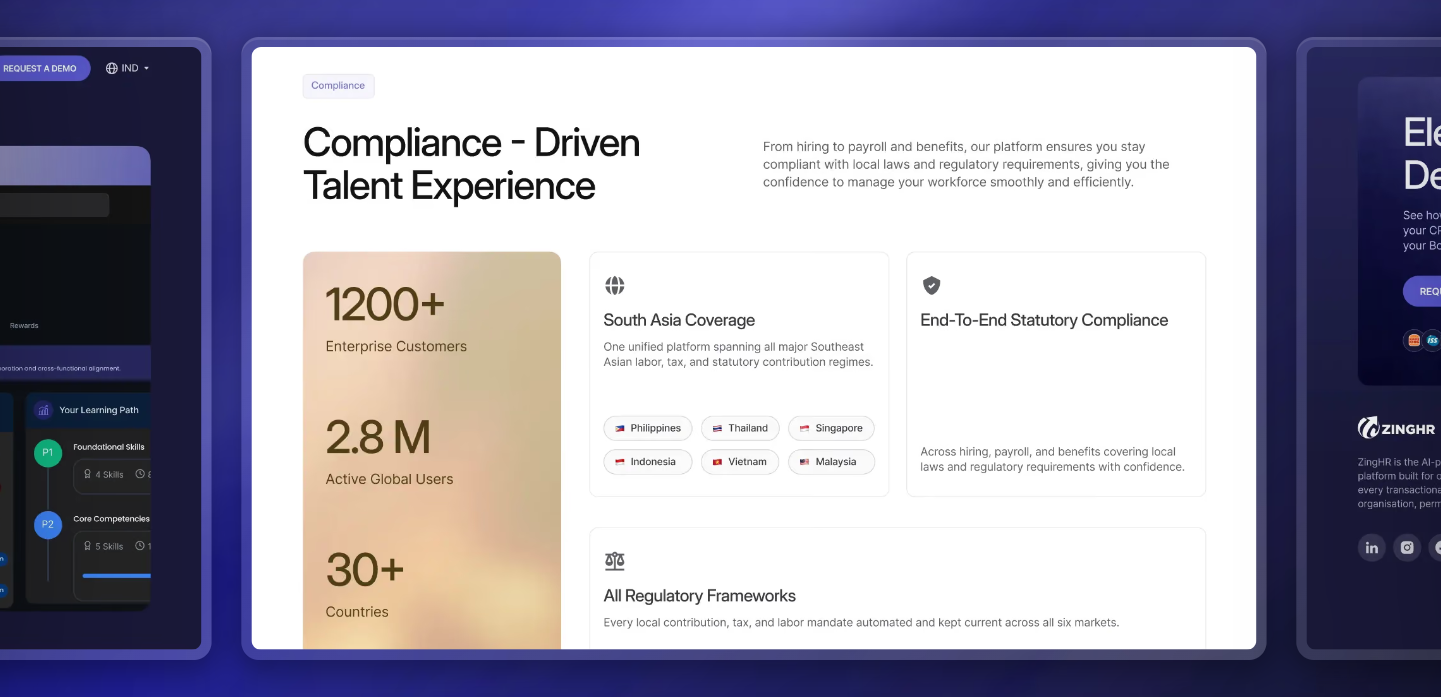
Step 6: Write Product Pages & Demo Flows for Multiple Buyers
A strong HR tech product page does four jobs for four readers: the sponsor wants an outcome, HR operations wants workflow, IT wants technical confidence, and Finance wants commercial clarity.
Make sure to check each module page against that list.
- Outcome: a measurable result, written in the buyer’s language and backed by customer-verified proof. Never invent numbers
- Workflow: real screens and a clear picture of who does what, not blurred dashboards
- Technical confidence: SSO and provisioning options, APIs, integrations, data export
- Commercial clarity: how pricing works, what implementation involves and how long it usually takes
For the funnel, think in a ladder rather than a single button. A visitor who is not ready for a live demo still needs somewhere to go, and the quality of that path often decides whether they come back.
The table below shows several examples of redirection for buyers with different commitment levels.
Step 7: Plan SEO Migration & Prepare for AI Search Visibility
Rankings usually get affected during migration rather than the design phase. Make sure you have a written requirement and a page-level plan before development starts.
These are the artifacts we produce before anything goes live:
G2’s 2026 Buyer Behavior Report, based on a survey of more than 1,000 B2B software buyers, found:
Thus, evaluation-stage content is where you earn or lose a deal.
Write key pages in a way that each section makes sense when lifted out on its own: a direct answer first, then supporting detail. This helps maintain the AI search visibility and how AI affects SEO for your website.
Step 8: Choose a Stack & Governance Model That Your Marketing Team Can Run
Choosing the best CMS is as much about people as technology. Before making a choice, answer an important question: can marketing publish a new regional page or customer story without a developer ticket? Is headless CMS right for your website?
Whatever platform you choose, we would require:
- A component library, so marketers assemble pages from approved blocks;
- Structured collections for repeatable content (solutions, industries, regions, resources);
- A localization workflow with review states and fallbacks;
- Role-based permissions and staged publishing;
- One source of truth for repeated facts, such as certifications and integration lists
And a simple ownership model as mentioned in the table below, so regional pages do not decay after launch.
Step 9: Treat Accessibility & Performance as a Part of Compliance
Accessibility has moved from a nice-to-have to something regulators check. The European Accessibility Act began applying on June 28, 2025, and the first year was mostly awareness-raising. However, that is changing fast.
If you sell into the EU, your website and its documentation are part of what buyers and regulators may examine. Disclosing gaps honestly in an accessibility statement is better than saying nothing, but fixing them is better still.
What we build in from the start:
- WCAG 2.2 AA as the design target (the harmonized EU standard is the formal benchmark, so confirm current requirements with counsel)
- Keyboard and screen-reader testing on every template, not only the homepage
- Core Web Vitals checked in field data and from the regions you sell into: Largest Contentful Paint under 2.5 seconds, Interaction to Next Paint under 200 milliseconds, Cumulative Layout Shift under 0.1.
- A tag audit: Chat widgets, heatmaps and unused scripts are the usual cause of slow pages
Step 10: Measure Outcomes by Region & Persona While Maintaining Consent Rules
Measure the outcomes that show whether each region and persona is moving toward revenue, not just traffic. Here are a few rules to make sure the data is honest:
- Use a consent platform with region-aware defaults, and expect incomplete data in some markets.
- Track the funnel by region, persona and entry content, not just total leads.
- Connect website data to CRM outcomes (pipeline, win rate, cycle length). A region with modest traffic and short cycles can be worth more than one with heavy traffic and low intent.
- Add qualitative signals: self-reported attribution and the questions prospects raise in demos.
The Ideal Timeline to Build a Website for a Global HR Tech Company
Timelines are decided by how many decisions are closed before development starts. A focused build of 20 to 25 pages can move in about a month when designs are finalized before the build begins and approvals are quick.
Whereas, a multi-product site with full localization and legal review may take 3 to 6 months.
The table below shows the framework and sequence we would use to stay clear on project timelines.
ZingHR’s 22+ pages were delivered in 4 weeks, with development working from finalized Figma designs. We have seen similar timelines hold on other enterprise B2B website designs when scope is controlled and approvals are fast, and the same size of project takes much longer when content is not ready.
Build With Flowtrix
A global HR tech website is part of the sales team, not a brochure for the product. It has to answer the awkward questions earlier, in the buyer’s own context, and make it easy for the quiet members of the buying committee to say yes.
Get the order of decisions right (goals, committee, architecture, regions, trust, migration, governance) and the design work becomes far easier.
At Flowtrix, we help HR tech and SaaS teams make exactly these decisions, from regional structure and trust content to SEO-safe migrations.
If you are planning a global website and want a second opinion before committing a budget, let’s connect!












.svg)

.svg)



%201.svg)


.svg)
.svg)

