



Use to summarize this article


- Webflow fits marketing-led sites: Choose it for marketing, SaaS or brand sites where designers and marketers publish without developers and you prefer a subscription to maintaining a stack.
- WordPress fits depth and scale: Choose it for memberships, large-scale publishing, complex ecommerce, server-level control, or the freedom to move hosts and agencies.
- Each platform carries a different risk: WordPress risk sits in plugin patching and upkeep, while Webflow risk sits in vendor pricing, plan limits and feature removal.
- Costs depend on maintenance: Estimated ongoing totals run $6,160 to $36,600 a year on WordPress and $3,550 to $30,000 a year on Webflow.
- Mixed needs can use both: Run marketing pages on Webflow and keep the application or archive on WordPress. A WordPress to Webflow migration typically takes 8 to 16 weeks.
When comparing Webflow vs. WordPress as your CMS choice, your decision cannot simply depend on their features. In 2026, your decision should also be based on who will keep the site running, how often marketing needs to ship pages, and what a security incident would cost.
- Webflow is a good choice if you run a marketing, SaaS or brand website, want designers and marketers to publish without developers, and would rather pay a subscription than maintain a technical stack.
- WordPress is a good choice if you need memberships, large-scale publishing, complex ecommerce, server-level control, or the freedom to move your whole site between hosts and agencies.
- If your needs split, run marketing pages on Webflow and keep the application or archive on WordPress.
This guide helps you decide whether Webflow or WordPress works better for you.
Webflow vs. WordPress at a glance
Here’s a quick comparison between Webflow and WordPress as your CMS options before we get into the details.
| Aspect | WordPress | Webflow |
|---|---|---|
| What it is | Free, open-source software you install on hosting you choose | Hosted platform: visual designer, CMS, hosting and security in one subscription |
| Best for | Publishers, membership sites, custom applications, large content libraries | Marketing sites, SaaS sites, portfolios, design-led brands |
| Who maintains it | You, your host or your agency | Webflow maintains the platform; you maintain content and add-ons |
| Pricing model | Software is free; you pay for hosting, plugins and labor | Per-site subscription plus seats; free Starter plan for testing |
| Customization | Nearly unlimited, including server-side code | Strong front-end control; limited server-side control |
| Extensions | 10,000+ plugins and themes | Apps marketplace, custom code, APIs |
| Security model | You own patching; risk concentrates in plugins | Vendor patches the platform; risk concentrates in your add-ons |
| Portability | Move hosts freely; full file and database access | Hosted on Webflow; code export is partial |
| Learning curve | Easy to start, harder to build well | Steeper at first, faster once learned |
Underlying risks of hosting on Webflow vs. WordPress
Feature checklists hide the most important difference. Each platform asks you to carry a different risk.
| CMS | Risk | How it shows | How to reduce it |
|---|---|---|---|
| WordPress | Unpatched plugins | Breaches, defacement, SEO spam | Few plugins, managed host, automatic updates, vulnerability monitoring |
| WordPress | Key-person dependency | Only one developer understands the site | Documentation, standard plugins, a second maintainer |
| Webflow | Feature removal | A built-in feature disappears | Use partner tools for critical functions; keep export routines |
| Webflow | Pricing & Limits | Plan changes raise costs or cap usage | Review plan terms yearly; track CMS items and bandwidth |
Your decision should be based on the risks you’re willing to take.
- WordPress carries operational risk: You (or your host or agency) own updates, backups, plugin quality and uptime. When a popular plugin ships a flaw, the race between attackers and your update process is yours to win. The reward is control: you can fix, replace or rebuild anything.
- Webflow carries platform-dependency risk: Webflow decides prices, plan limits and which features survive. The 2025-2026 sunsets of Logic and User Accounts, and the May 2026 pricing overhaul, show that a vendor can change the deal under you. The reward is fewer moving parts and no patching.


Webflow vs. WordPress: Cost comparison
When making a practical choice between Webflow and WordPress, cost is an important aspect to consider. Afterall, the maintenance costs for your website should be manageable in the long run. Let’s look at the estimated costs for both platforms.
How much does Webflow cost?
The Webflow pricing plan in 2026 is shown in the table below.
| Site plan | Billed yearly | Billed monthly | What it covers |
|---|---|---|---|
| Starter | Free | Free | Testing on a webflow.io address |
| Basic | $15/month | $25/month | Custom domain, static pages, no CMS |
| Premium | $25/month | $39/month | CMS with 20,000 items and 40 Collections, 300 static pages, 50 GB bandwidth |
| Team | About $2,500/month | Not available | Collaboration and workflow features for larger teams |
| Enterprise | Custom | Custom | SSO, SLAs, custom limits |
Seats, ecommerce plans and add-ons (such as extra bandwidth) may add up to the overall cost.
How much does WordPress cost?
WordPress is open source; it comes free of cost. What you actually pay for may include: hosting, a premium theme or page builder, paid plugins, security and backup tools, and the time of whoever keeps it running.
The overall cost may range from a few dollars a month on shared plans to well over $100 a month for high-traffic managed hosting.
Based on our projects and experience of designing and building websites on Webflow and WordPress, here’s a detailed cost comparison for different phases.
| Cost Aspect | WordPress | Webflow |
|---|---|---|
| One-time build | $8,000 to $40,000 | $10,000 to $45,000 |
| Hosting, or platform plan and seats | $360 to $3,600/yr | $350 to $3,000/yr |
| Premium plugins or apps | $500 to $3,000/yr | $0 to $3,000/yr |
| Security and monitoring | $300 to $2,000/yr | Included in the platform |
| Maintenance and updates | $4,000 to $20,000/yr | $1,200 to $9,000/yr |
| Performance, feature work and fixes | $1,000 to $8,000/yr | $2,000 to $15,000/yr |
| Ongoing total | $6,160 to $36,600/yr | $3,550 to $30,000/yr |
Remember, these are just estimates. The exact cost depends on your project scope.
Webflow vs WordPress: How secure are they?
Security is another important concern when choosing a platform to host your website.
Webflow’s model removes the plugin layer.
Webflow hosts and patches the platform, includes SSL, and you cannot install arbitrary server-side code. Your exposure shifts to what you add: third-party scripts and embeds, user permissions, API keys and the personal data your forms collect.
If you choose WordPress, these steps matter most to ensure security:
- Keep plugins to a minimum and delete abandoned ones;
- Enable automatic security updates where plugins have a solid track record;
- Use a managed host with a web application firewall and test your backups;
- Require two-factor authentication, and subscribe to a vulnerability feed for your installed plugins.
The PHP problem underneath WordPress
Plugins are only half the story. WordPress runs on PHP, and the PHP version on your server is a security layer of its own. Updating WordPress does not update PHP. Your host or developer has to do that separately, and many never do.
In October 2026, the PHP project patched two critical flaws, together called PHP2Shell (CVE-2026-109618 and CVE-2026-109619). They let an attacker run their own code on the server without logging in, and the PHP security team rated both 9.2 out of 10. CISA added them to its Known Exploited Vulnerabilities list on October 26, after attacks had already started. Official fixes only shipped for PHP 8.2 and newer. Sites on PHP 8.1 or older got no official patch at all.
The clock is also running on the versions that are still patched. PHP 8.2 stops getting security fixes on December 31, 2026. Any WordPress site still on it after that date is back on an unpatched version. Source: Censys.
When patching becomes the job, it is time to move
If your team spends every month chasing plugin updates, PHP upgrades and hosting tickets, the platform has become the project. Moving to a stable, managed platform takes that whole layer off your plate.
- Webflow hosts, patches and secures the platform for you. There are no plugins to update and no server to upgrade, so a flaw like PHP2Shell is Webflow's job to fix, not yours.
- BetterCMS gives content teams a modern headless CMS to write and publish in, without running WordPress just for the editor.
Flowtrix handles WordPress to Webflow migrations end to end, with every redirect mapped so you keep your rankings. Before you start, read about the five common challenges in a WordPress to Webflow migration.
The EU Cyber Resilience Act
Its vulnerability-reporting obligations for manufacturers began applying on September 11, 2026, with most remaining requirements from December 11, 2027.
It mainly regulates software vendors, such as commercial plugin developers, rather than most businesses that run a website. Make sure to ask critical plugin vendors about their plans.
Webflow vs WordPress: What’s best for SEO and AI search visibility?
Whether you choose Webflow or WordPress, neither platform ranks a site on its own. Content quality, links, search intent and technical health do the work. Here’s what you need to consider when making a choice:
- Technical basics: Webflow includes title and meta fields, canonical tags, Open Graph settings, an auto-generated sitemap and a redirect manager. WordPress reaches the same baseline through an SEO plugin and a good host.
- Depth of control: WordPress allows server-level rules and a broader plugin choice. Webflow offers less server control but less to configure.
- Structured data: Webflow has no one-click schema generator, so you add JSON-LD through custom code or an app such as the Flowtrix Schema App. WordPress plugins automate common types.
- Redirects and migrations: Most traffic loss after a platform change comes from missing redirects and dropped metadata, not from the platform.
Flowtrix built Wayground’s Webflow site for its AI-powered, teacher-first platform, and engagement rose 2.5x. Read full case study →
How to get cited on AI search engines?
To get cited on ChatGPT, Claude, or other AI search engines, on either platform:
- Put a direct, self-contained answer in the first two sentences under each heading
- Name your sources and show the date you last updated each page
- Mark up Article, FAQ and Organization data
- Show real authors with credentials
- Use tables for comparisons; they are easy for machines and readers to extract
Free website audit
Can Google read your site?
Get a scored breakdown of your positioning, proof, conversion paths and technical health. Results in about a minute.
85/100
Overall score
Webflow vs. WordPress: Performance & core web vitals
Both platforms can pass Core Web Vitals, and both can fail.
Webflow starts from managed hosting on a global CDN, so failures usually come from oversized images, heavy interactions and third-party scripts.
WordPress ranges from excellent to poor depending on the host, theme and plugin load.
Here’s how you can check your site in 10 minutes:
- Test your home page, a blog post and a landing page in PageSpeed Insights
- Read the field data first; it reflects real users
- Open the Core Web Vitals report in Google Search Console to find failing page groups
- Identify the cause: images, scripts, layout shifts or slow server response
If the causes are plugins or hosting you cannot change, that is a migration signal. If they are images and tracking tags, switching platforms will not fix them.
Webflow vs. WordPress: Which one offers a better design experience?
Webflow offers visual control. Designers work with real CSS concepts (classes, flexbox, grid, breakpoints) on a canvas and ship without a theme’s limits. Marketers can edit copy and CMS content directly and publish the same day.
WordPress offers several editing models: the block editor, full-site editing, or a page builder such as Elementor. Results depend heavily on how the theme is built, so a well-built WordPress site can be pleasant to edit, and a poorly built one fragile.
You need to pay attention to governance no matter which platform you choose. When you publish faster with no clear roles, a shared component library and review steps it could lead to gaps in branding and SEO.
After Flowtrix rebuilt Amazon Signage’s Webflow site (20+ pages), the team could ship content updates 10x faster.
Ecommerce, memberships, and add-ons
Here’s what add-ons are available and you may need with Webflow and WordPress.
| Element | WordPress | Webflow |
|---|---|---|
| Ecommerce | WooCommerce: no platform product cap, large extension market, more upkeep | Webflow Ecommerce: tidy for small, design-led stores; product limits depend on the plan |
| Memberships and gated content | Mature plugins | Native User Accounts ended January 29, 2026; use a partner such as Outseta or Memberstack |
| Workflow automation | Plugins or external tools | Native Logic ended June 27, 2025; use Zapier or Make |
| Multilingual | Plugins (WPML, Polylang, TranslatePress) | Webflow Localize, a paid add-on |
| Large content libraries | No platform cap; needs good hosting and caching | CMS item limits per plan (20,000 on Premium) |
- If your roadmap includes logins, subscriptions, directories or custom applications, WordPress (or a purpose-built tool) usually fits better.
- If you plan to publish to apps and other channels, see whether a headless CMS is right for you.
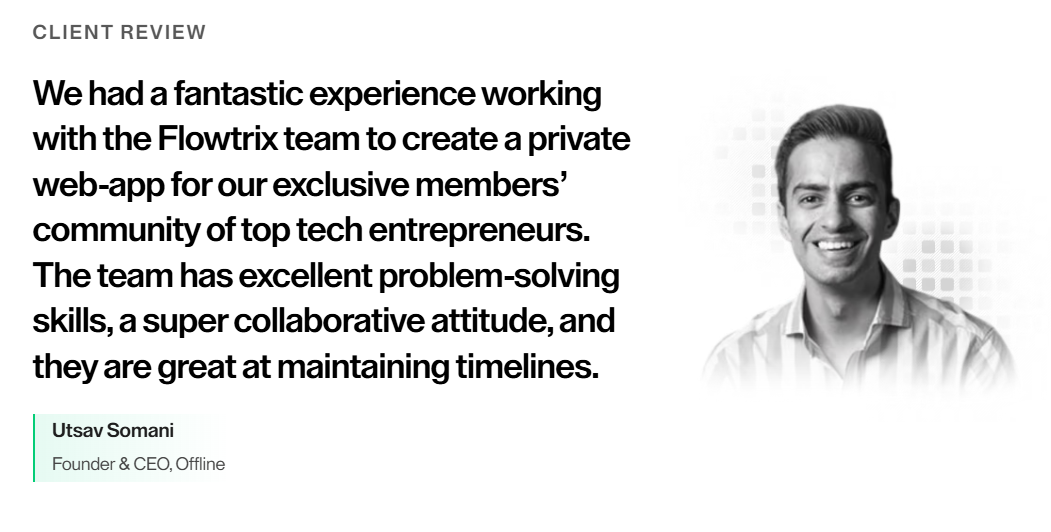
Offline, a members’ community for tech founders, needed a private web app with a seamless signup flow. Flowtrix built it using Webflow and other low-code resources. Their founder described it as “a private web-app for our exclusive members’ community of top tech entrepreneurs.” Read full case study →
Ownership, portability, and lock-in: How are they different for Webflow & WordPress?
WordPress is open source. You can copy the files and database to another host, change agencies, and export content to XML.
Webflow runs on Webflow’s hosting. You can export front-end code on paid workspace plans and CMS content as CSV, but dynamic CMS features, forms and ecommerce do not travel with a static export.
Leaving Webflow is closer to a rebuild than a move.
That is the price of the managed model. Weigh it against the maintenance you avoid, and keep your content in structured, exportable form.
Webflow or WordPress: What should you choose?
Consider your requirements and your exact budget. Then answer the following questions before making a decision.
Choose Webflow if:
- Your site is mostly marketing pages, a blog and case studies
- You expect to stay well under 20,000 CMS items
- Designers and marketers, not developers, will make most changes
- You want hosting, SSL and platform updates handled for me
- You can accept a vendor setting prices and retiring features
Choose WordPress if:
- You need logins, memberships or gated content built into the site
- You publish at large scale or need complex editorial workflows
- You need custom backend logic or server-level control
- You want to own every file and move hosts or agencies freely
- You already have developers who know WordPress well
The table below shows the best fit for every situation:
| Your situation | The best fit |
|---|---|
| B2B SaaS marketing site with a small team | Webflow |
| Portfolio or brand site with strong design requirements | Webflow |
| News or magazine site with many authors | WordPress |
| Course platform, community or membership site | WordPress or a purpose-built tool |
| Small design-led online store | Webflow Ecommerce or Shopify |
| Large catalog or complex B2B commerce | WooCommerce, Shopify or headless CMS |
| In-house WordPress team and a healthy stack | Stay on WordPress |
How to switch platforms without losing traffic?
Most WordPress-to-Webflow migrations take 8 to 16 weeks end to end, including planning, build and launch. A typical marketing site sits at the shorter end; page count, integrations and redirect volume push it longer.
Here’s the checklist we follow to migrate without losing SEO:
- Crawl the existing site and list every URL, title, meta description and canonical
- Keep URLs identical wherever possible; map every change with a 301 redirect
- Decide what happens to each plugin: native feature, partner app, custom code or retire
- Rebuild structured data and verify it after launch
- Crawl staging and compare it with the live site before cutover
- Block staging from indexing, then remove the block at launch
- Submit the new sitemap and verify the property in Search Console
- Monitor indexing, rankings and 404 errors daily for two weeks, then weekly for 8-12 weeks
Take a better decision & next step with Flowtrix
Both platforms are adding AI tooling, and roadmaps change fast. Judge each platform on features that have shipped, not announcements: check Webflow’s changelog and WordPress’s release notes before you decide.
- Choose Webflow if your site is marketing-led and fast publishing and low maintenance matter most, and you accept vendor dependence and can plan around its CMS and feature limits.
- Choose WordPress if you need depth, scale, memberships or full ownership, and you are ready to maintain it properly.
Want a second opinion? Tell us about your site and we’ll tell you which platform fits.
FAQ's
Here are quick answers to the questions teams ask most when choosing between Webflow and WordPress.